
Reload the Same Dataset After the Worker Exits
A worker saves a Hugging Face dataset and exits. Upload the closed files, and a new process checks them before it loads the same rows.
A worker saves a small Hugging Face dataset and exits. The directory was on that worker. The next worker has nothing to load.
Building those rows again repeats the work. Copying only some of the files is worse, because a later load would open an incomplete directory.
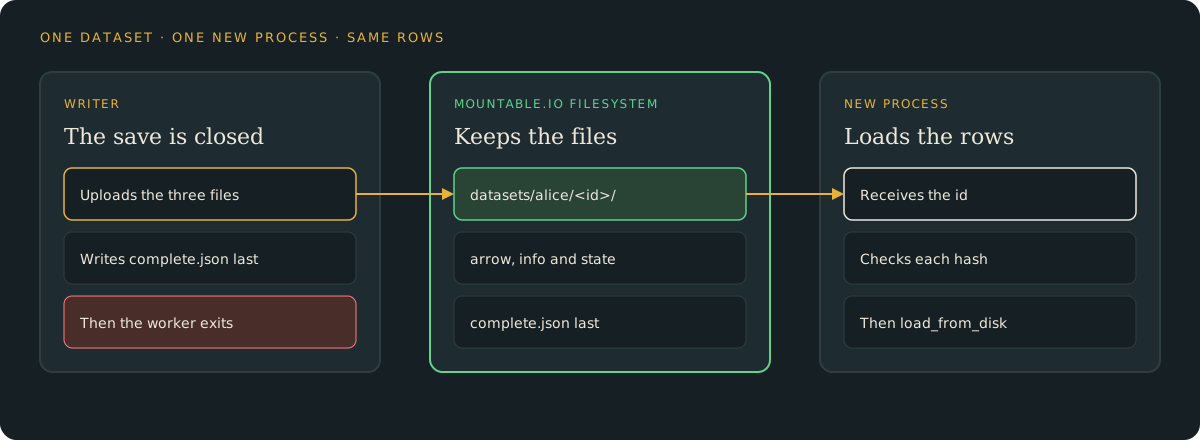
The worker closes the save, uploads the known files, and writes a completion record only after every file is stored. It returns an id. mountable.io is a persistent filesystem for AI agents.
The filesystem id stays in the environment, so the worker returns only the dataset id.
The save is one shard, not a Hub upload
One call to save_to_disk writes one shard and two synthetic rows. The files are data-00000-of-00001.arrow, dataset_info.json and state.json. This is not a zip, and it is not an upload to the Hugging Face Hub.
dataset.save_to_disk(directory, num_shards=1)The example uploads those three files and writes complete.json only after each one reads back. The rows are alpha / 1 and beta / 2. They hold no customer data.
A new process checks the hashes, then loads
Stop the writer and start a new process. It receives the dataset id, checks every file hash, and only then calls load_from_disk.
uv run python dataset.py read --dataset-id "$ID"The command prints match, the path and the row count. It also prints the feature label, the rows checksum and the file count.
A partial copy is not finished
A missing or changed file stops the read before load_from_disk. A second create leaves the first files in place. A failed upload writes no completion record, so there is no id that says the dataset is ready.
Delete the files when you are done
uv run python dataset.py cleanup --dataset-id "$ID"This deletes the completion record and the three dataset files. A dataset this small is a few kilobytes, and storage follows the published usage prices.
For one filesystem and a hard monthly spend cap per end user, follow the capped workspace guide. This recipe uses one existing filesystem.
Try it
- The dataset guide: set up the example and write a dataset. Then read it from a new process and clean up.
- The example code: the save, the offline tests, and the two-process check.
- Python and TypeScript SDKs: read and write files from your backend.
mountable.io maintains this example. It is not a Hugging Face product, and it does not need a Hub account.