
Get the Same Report After Your FastAPI Worker Restarts
A FastAPI worker builds a report and then restarts. Upload the closed file, and the next process returns the same bytes.
A FastAPI worker builds a report for one signed-in user. Then that process restarts. The next request asks for the report, and the file is gone.
The user cannot download it. Building the report again means doing the work twice. Saving the file on the worker's disk does not help, because that disk leaves with the process.
The trusted backend uploads the closed report and returns an id only after the upload succeeds. A fresh API process returns those same bytes. mountable.io is a persistent filesystem for AI agents.
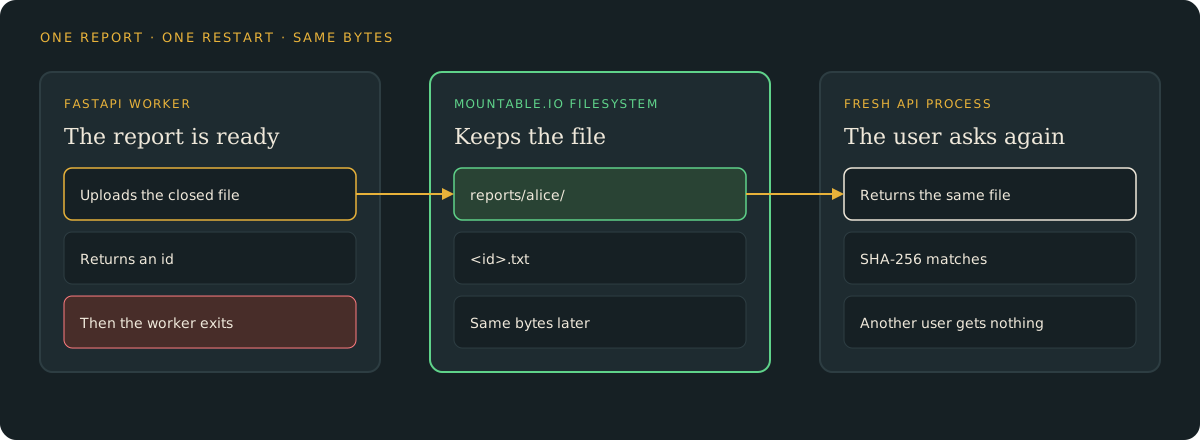
Upload the report before you return an id
Your backend chooses the user and the path. The caller does not send a filesystem id or a storage path. Close the report, then write it with the Python SDK:
from mountable_sdk import Mountable

fs = Mountable().filesystem(filesystem_id, "rw")
fs.write(f"reports/{user}/{report_id}.txt", report_bytes, if_none_match=True)if_none_match=True creates the file only when it is not already there. The id in the response is 16 hex characters. It is not a path. The example generates a tiny synthetic report, with two rows and no customer data.
Read it from the next process
Stop the API and start it again. Request the same id. The body is the file you uploaded, and its SHA-256 matches.
curl -s -H "Authorization: Bearer fixture-alice" \
http://127.0.0.1:8000/reports/$ID | sha256sumRun that once before the restart and once after. The two hashes match.
Another user does not get the file
The server looks only in that user's own prefix. Bob asks for Alice's id and gets not found. Alice's file stays where it is.
A failed upload returns no id
If the write fails, the API answers with an error. The JSON has no id. The caller cannot treat a missing upload as a saved report.
Delete it when you are done
uv run python app.py cleanup --user alice --report-id "$ID"Storage is $0.20 per GiB-month at the normal usage prices. A short report like this one is under a kilobyte. Delete it when you no longer need it.
For one filesystem and a hard monthly spend cap per end user, follow the capped workspace guide. This recipe uses one existing filesystem.
Try it
- The FastAPI guide: set up the example, create a report, restart, and clean up.
- The example code: the API, the offline tests, and the restart check.
- Python and TypeScript SDKs: read and write files from your backend.
mountable.io maintains this example. It is not part of FastAPI.