
Hand a Parquet File From Polars to DuckDB
A Polars writer exits and its Parquet file goes with it. Upload the closed file to mountable.io and query the download with DuckDB later.
Say you run a small data job in a worker. Polars builds a table, writes a Parquet file, and the job ends. The worker goes away, and the file goes with it.
The next job needs that table. It runs somewhere else, at another time. Rebuilding the table means running the first job again.
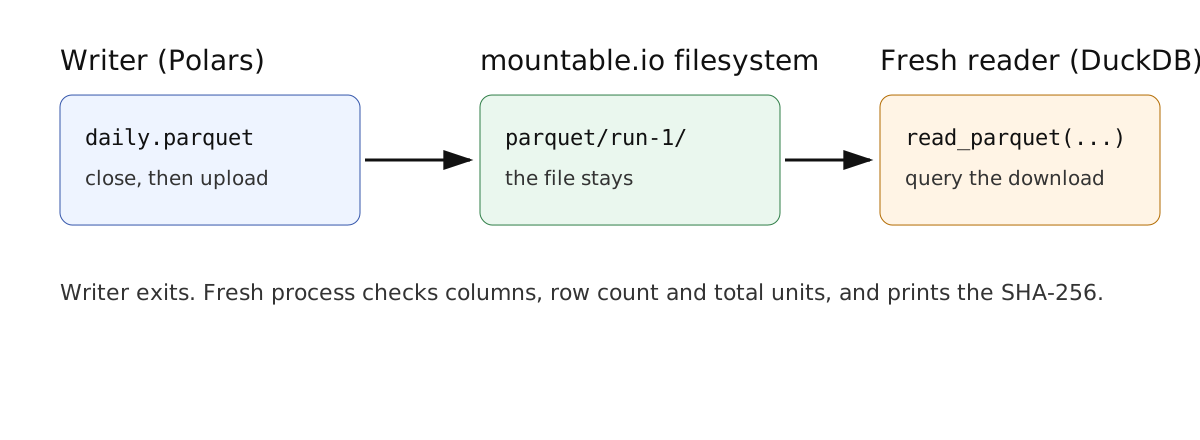
This recipe keeps the file. mountable.io is a persistent filesystem for AI agents. The writer uploads its closed Parquet file before it exits. A fresh process downloads the file later and queries it with DuckDB.
Close the file, then upload it
Wait for Polars to finish writing, so the Parquet file is closed. Then upload those bytes with the mountable.io Python SDK:
from mountable_sdk import Mountable

fs = Mountable().filesystem(filesystem_id, "rw")
fs.write(f"parquet/{run_id}/daily.parquet", parquet_bytes, if_none_match=True)Your code picks a new run_id for every run. if_none_match=True means the write only succeeds if the file does not exist yet. A retried job cannot replace the first run's file by mistake.
The example builds 90 days of made-up sales rows. It holds no real data.
Download it and query it locally
The reader is a fresh process. It downloads the file and runs DuckDB on that download:
import duckdb

rows, units = duckdb.connect().execute(
    "SELECT count(*), sum(units) FROM read_parquet('daily.parquet')"
).fetchone()DuckDB reads the local file you downloaded. The check compares the columns, the row count and the total units with the values it expects. It also prints the SHA-256, so you can compare it with the writer's line.
Run it yourself
The writer and the reader are two commands in the example. Run the writer, let it exit, then run the reader from another shell. Delete the uploaded file when you finish.
The Notebooks guide shows the same filesystem in Kaggle, Colab, Deepnote, Hugging Face Spaces and Marimo.