
Read the Same Report After Your Prefect Worker Exits
A Prefect task builds a report and the worker exits. Upload the closed file, and a reader flow in a new process checks the same bytes.
A Prefect task finishes a report. Then the flow worker exits. The file was on that worker's disk, and the disk is gone.
Building the report again means running the work a second time. The short value the task returned is not the file.
The task uploads the closed file to mountable.io and returns only a short id. mountable.io is a persistent filesystem for AI agents. The filesystem id stays in the worker's environment, so the task does not return that id or a path.
The id is the task's return value. The bytes are the file. They are not a Prefect result, a cache, or saved flow state.
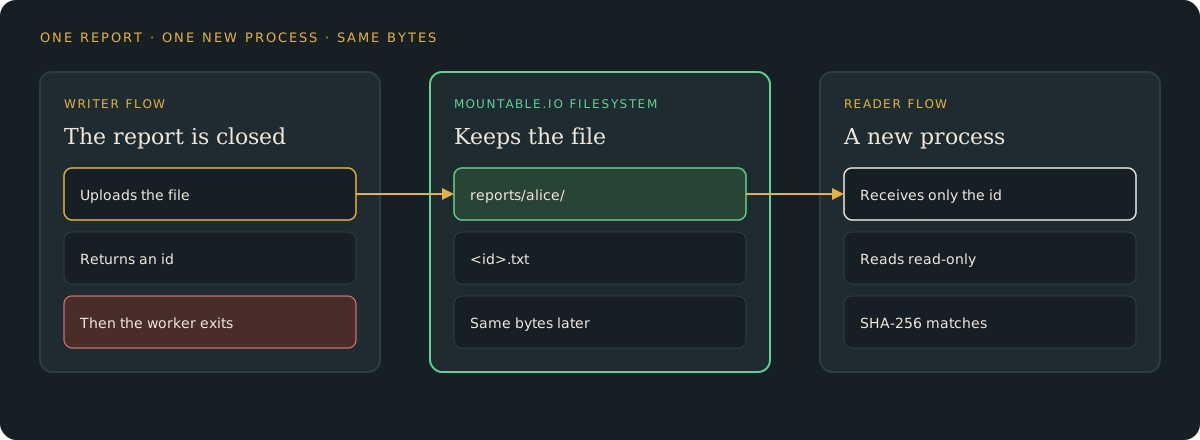
The tasks pass only the id
The first task chooses a 16-character id. The second task writes the closed report and returns that same id. Nothing else moves between them.
from mountable_sdk import Mountable

fs = Mountable().filesystem(filesystem_id, "rw")
fs.write(f"reports/alice/{report_id}.txt", report_bytes, if_none_match=True)if_none_match=True creates the file only when it is not already there. The example generates a tiny synthetic report, with two rows and no customer data.
A new process checks the hash
Stop the writer and start a new process. Its reader flow receives the id and opens a read-only handle. The size and the SHA-256 match the file you uploaded.
uv run python report.py read --report-id "$ID"The command prints match, the path, the hash and the size.
A second create leaves the first file
Write the same id again. The new upload stops, and the first bytes stay where they are. The reader flow still prints the original hash.
A failed upload fails the task
If the write fails, the task fails. The command exits without a report_id= line. There is no id to hand to the next flow.
Delete the file when you are done
uv run python report.py cleanup --report-id "$ID"This deletes that one file. A file that is already gone is left gone.
Storage is $0.20 per GiB-month at the normal usage prices. A short report like this one is under a kilobyte. Delete it when you no longer need it.
For one filesystem and a hard monthly spend cap per end user, follow the capped workspace guide. This recipe uses one existing filesystem.
Try it
- The Prefect guide: set up the example, write a report, read it from a new process, and clean up.
- The example code: the flows, the offline tests, and the two-process check.
- Python and TypeScript SDKs: read and write files from your backend.
mountable.io maintains this example. It is not part of Prefect.