
Keep a Deno Script's Note After the Process Exits
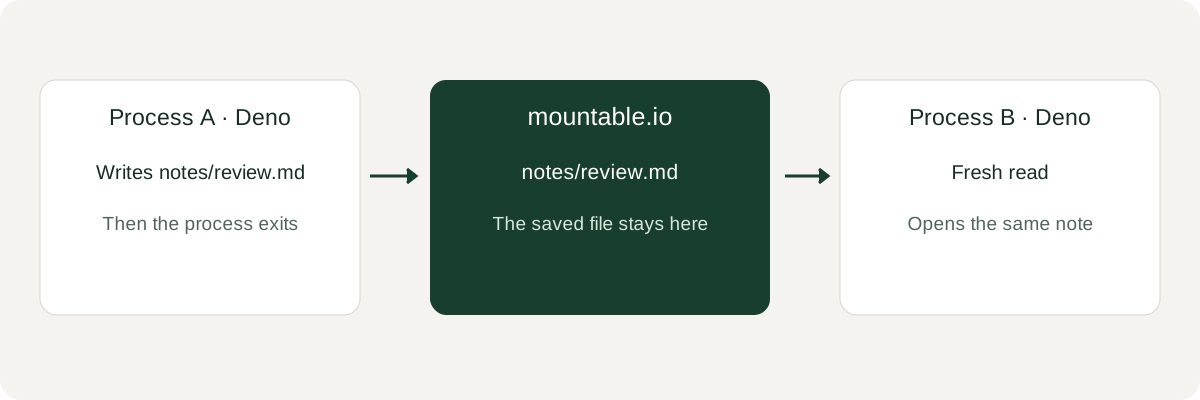
A Deno script saves a review note on mountable.io. A fresh process reads the same file.
A Deno script writes a Markdown review note on a short-lived worker. The worker exits and its disk is discarded. Copy the note by hand before that happens, or the next run repeats the review.
A database row can keep the text. People and other scripts still need the Markdown file, so they can open the same note.
mountable.io is a persistent filesystem for AI agents. The released TypeScript SDK runs inside Deno and saves the note there. Your backend chooses the filesystem and the path.
The example makes no model call. mountable.io maintains it.
Save it, then read it from a new process
Use Deno 2.9.8, an existing mountable.io account and filesystem, and your API key in a private environment. Storage is billed at the published prices.
git clone https://github.com/writeitai/mountable.git
cd mountable/examples/deno-note
export MOUNTABLE_FILESYSTEM_ID=your-filesystem-id
export MOUNTABLE_NOTE_PATH="notes/deno-$(date +%s).md"
deno task write --text "Deno note stays."
deno task readwrite prints stored. The separate read prints Deno note stays.
We ran those two commands as separate processes against production. The second process opened the same note.
The example pins mountable-sdk 0.3.0. The Deno guide lists the exact permissions.
The note stays put
If the process is not allowed to read MOUNTABLE_API_KEY, Deno stops it before any request. The message names the variable and does not print the key.
A read-only handle cannot replace the note. Creating the same path again keeps the first note.
A cap for each user
Your backend can give each user a filesystem with a monthly spending cap. When one user reaches that cap, billable work on their filesystem stops. Other users keep working.
Follow the Deno guide for setup, permissions and cleanup. The runnable example includes offline tests. Limits per end user explains the cap.
You run this example with the Deno CLI. mountable.io maintains it separately from the Deno project.