
Keep a Strands Agents Note for the Next Worker
Save a Markdown note through a Strands Agents tool, then read the same file in a fresh worker.
Your Strands Agents app reviews a code change in a temporary worker. It writes a Markdown summary, then the worker is removed along with its local files. The next task cannot open that summary, so it has to do the review again.
mountable.io is a persistent filesystem for AI agents. Save the note there before the worker exits. A second worker can read the same file through its own tool.
A database record can preserve text too. A shared Markdown file fits when people, scripts and other workers need to open the same output through a CLI, SDK or mount.
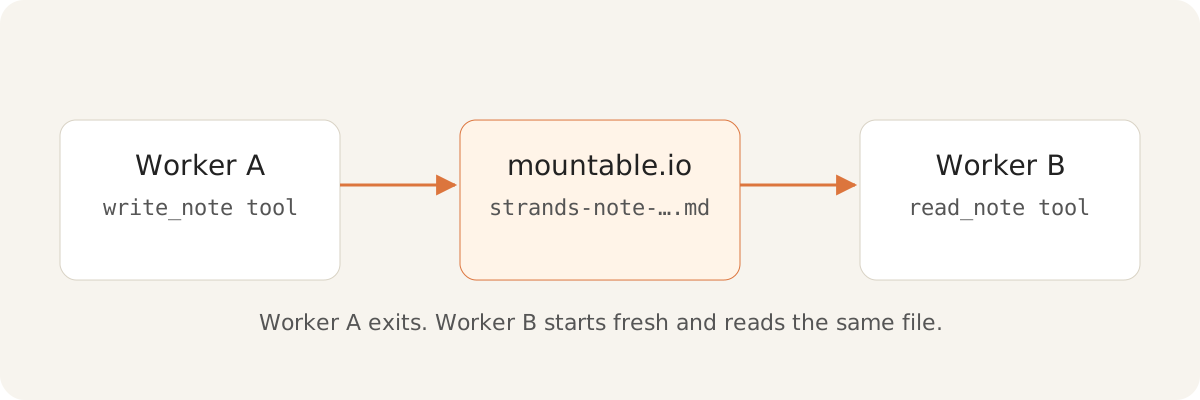
The backend chooses where the note goes
Your backend chooses the user's filesystem and note path before it builds the tools. The write tool accepts only note text. The read tool accepts nothing, so a model cannot supply a filesystem or a path.
from strands import tool

def build_tools(store, path):
    @tool
    def write_note(text: str) -> str:
        """Create the application-selected note without replacing it."""
        store.write(path, text, if_none_match=True)
        return "stored"

    @tool
    def read_note() -> str:
        """Read the application-selected note."""
        return store.read(path).data.decode("utf-8")

return {"write_note": write_note, "read_note": read_note}Try the handoff
Use an existing mountable.io account and filesystem, with your API key in a private environment. Hosted storage and downloads are billed at the published prices. The example invokes both tools through Strands' tool-use stream without calling a model, so you can try it without a model key.
After the setup in the guide, run these commands in separate processes:
uv run python notes.py write --filesystem "$FS_ID" --path "$NOTE_PATH" --text "$NOTE_TEXT"
uv run python notes.py read --filesystem "$FS_ID" --path "$NOTE_PATH"The first prints stored. The second prints Parser review complete. Open the stored note. We ran this handoff against production with strands-agents 1.62.0 and mountable-sdk 0.3.0.
The first note stays put if a task tries to create it twice, and the second worker reads through a read-only session. The guide covers those checks and the cleanup step.
Follow the guide for setup, expected output and cleanup, or open the runnable source. Delete the note when the workers no longer need it. mountable.io maintains this community example separately from AWS and the Strands project.